From the match to the analysis in three steps.
You film, upload and then confirm the goal moments the analysis suggests, goal by goal. Then you get the result, the run of play, the goals as scenes and the positions from above.
Film
A phone is enough. Put it on a tripod, as high as possible, level with the halfway line. With the wide angle (0.5×), both goals and goal areas are in the picture. Then just let it run, half time included.
How to film wellUpload
In the app you choose the video file ideally the whole match in one file (MP4, MOV or MKV). If the connection drops, the upload continues where it stopped next time. Large files are best uploaded over wifi.
The analysis works
It finds the court, follows the players, reads shirt numbers where it can and looks for the moments when a goal may have been scored. If there is a match report, it takes the goals and scorers from it. You need not stay: you get an e-mail when it is done.
Check
Then it is your turn. The app shows you each suggested goal moment as a short scene: goal or not, and for whom? After each confirmed goal you tap where the shot came from. It also asks whether the court is right. Big keys, one question after another, every answer saved at once. Answer the optional questions at the end too, or a goal may be missing. In the test with a five-minute match clip: 22 questions with shot spot in six to nine minutes for nine goals. For a whole match we have not measured it yet. If there is a match report, for example from handball.ch, goals and scorers come from it; the app works out their time in the video from the throw-off you confirm and does not ask about those goals again. We have not yet tested this path on real video.
Watch and share
You see the result, the run of play, every goal as a scene and the tactics camera. With enough goals, three things to take home come with it. What you want to show the team, you put together with one tap and send the link to the group chat.
What it looks like in the app
Pictures from the app, with example data (in German).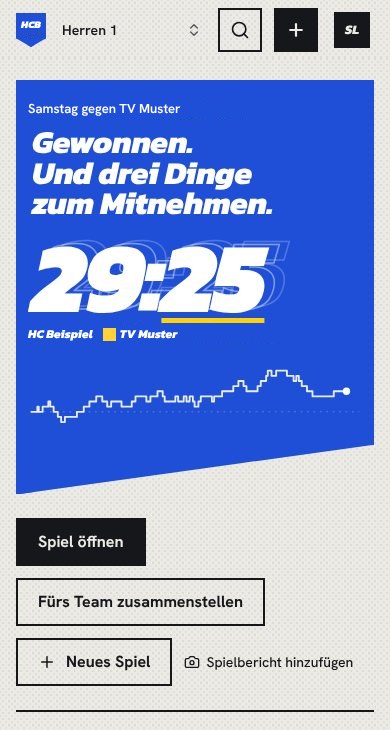
After the match: result, run of play, then the three things. 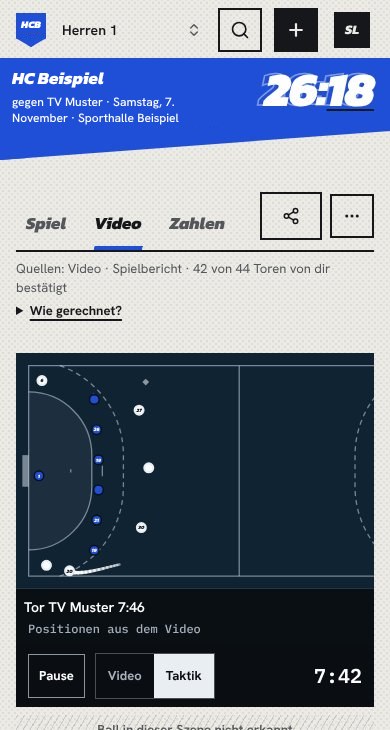
The tactics camera: the scene from above. 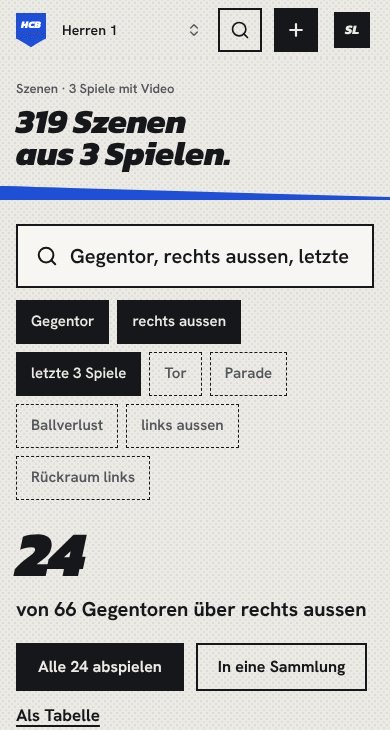
Searching scenes: the answer with its base. 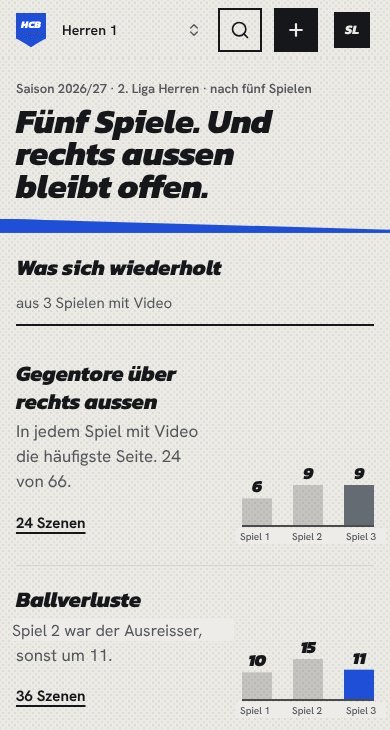
The season: what repeats.
What it can do, and what not yet
What it can do
- Find the court in the video and follow the players. You confirm or correct the court when checking.
- Suggest the moments when a goal may have been scored. You confirm them, goal by goal. If there is a match report, it takes the goals and scorers from it.
- After checking: result, run of play, every goal as a scene in the video and the positions from above on the tactics camera.
- Read shirt numbers where they are clearly visible. Often only a few are.
- Turn enough confirmed goals into three things to take home, with the scenes behind them.
What it cannot do yet
- Track the ball. That is why it shows no passes and no shot paths.
- Reliably detect goals by itself. That is why it suggests moments and you confirm. It does not read the hall's scoreboard yet.
- Detect saves and missed shots. You mark them by hand if you want them.
- Reliably tell players from spectators and the bench. The positions are estimates and may include people beside the court.
- Always start the scene just before the goal. Sometimes it shows the way back after the goal.
- Recognise the shot spot on its own. You tap it, one tap per goal.
- Measure running distances exactly. From one camera they are estimates.
What is estimated, we draw dashed and label "estimated".
Seeing your team needs no account.